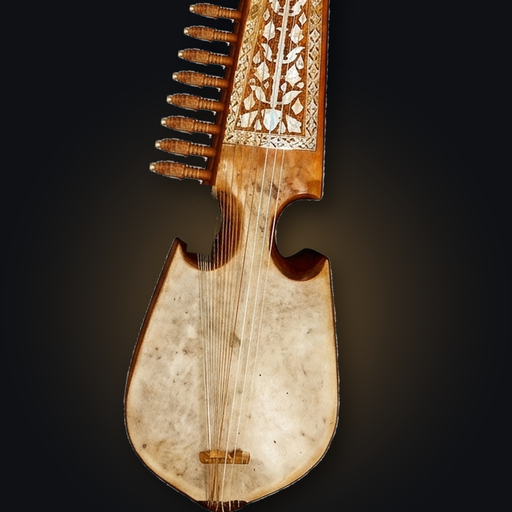

It hears every string
From the lowest Shahtar to the highest Bachi. Pluck, and it names the note, the gap, and what to do about it — then turns green the moment the string sits right and stays there.
Not a general guitar tuner with a needle. Rabab Tuner is a mobile app that draws your instrument — Katay, Bam, Zer, two or three Shahtar and up to fifteen Bachi — listens while you pluck, and tells you which peg to turn, which way, and how far.
Spelled rubab, rabab or robab depending on who taught you, and known in Kabul as the Kabuli rubab. Same instrument, one app.
 Coming soon to theApp Store
Android 7.0 or later · iPhone app coming soon · Download details
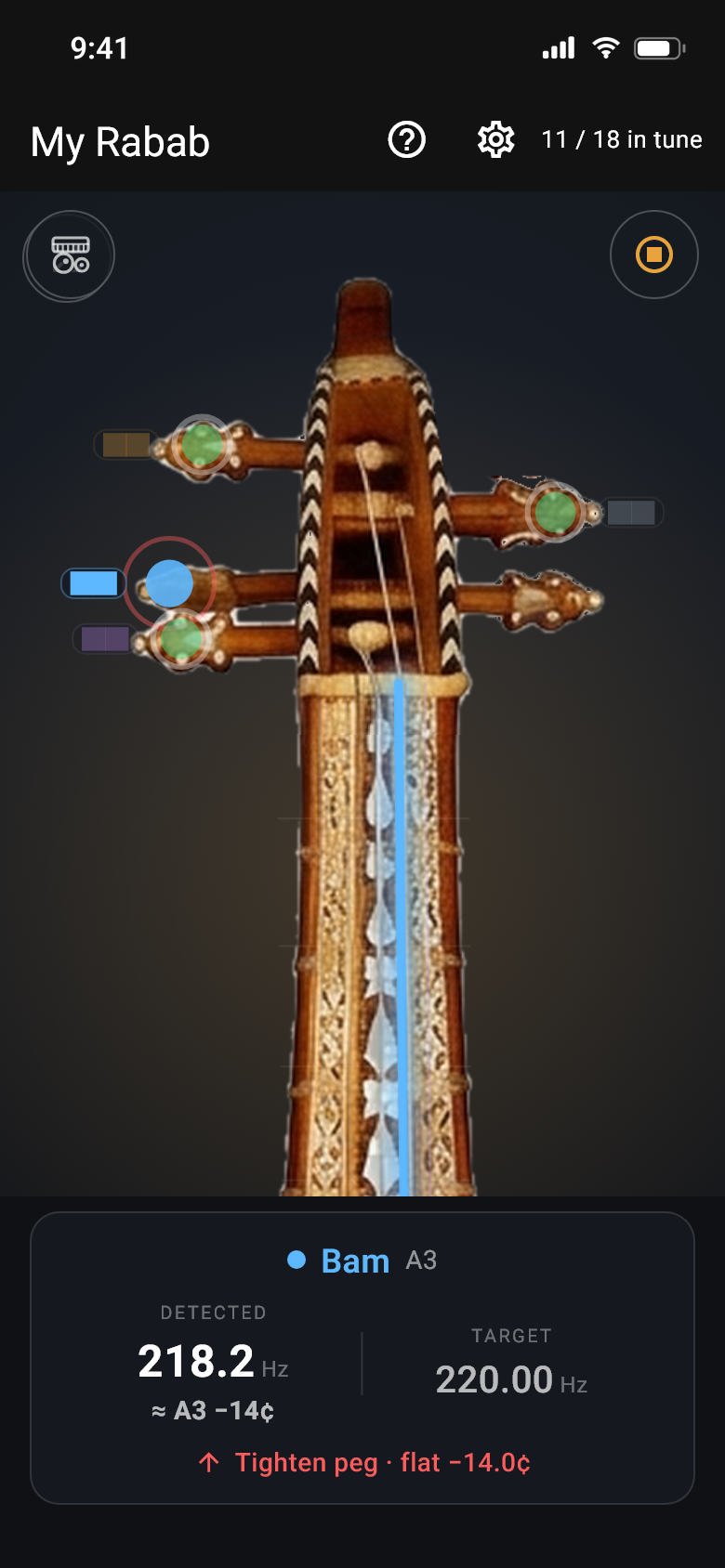
Animated preview of the tuning screen
Rabab Tuner started as a tuner. It grew into the practice room the instrument really needs — a song written out for your strings, the theory lesson on your own tuning, accompaniment, stroke practice, raga help, and looking after the wood itself.
From the lowest Shahtar to the highest Bachi. Pluck, and it names the note, the gap, and what to do about it — then turns green the moment the string sits right and stays there.
Two or three Shahtar. Eleven to fifteen Bachi. Four to eight frets. Play at 440, at 444 with a tabla, or wherever your ensemble sits. The instrument on screen changes to match yours.
Press and hold any string to hear exactly what it should sound like — made from real recordings of a real Rabab. Say no to the microphone and the app still does its job.
Naghma in the Pashto styles — Bairami, Logari, Kesturi, Pari — and eleven taals, every one built from recordings of a real tabla. Slow it down or speed it up and the drum still sounds like itself.
Play your harmonium or your tabla for one minute and the app turns it into a loop you can practise with — cleaned up and trimmed so it repeats without a bump.
Sit quietly for thirty seconds once. After that the app knows what your fan, aircon or traffic sounds like, and stops hearing it — so it hears only your Rabab.
Every stroke named Tari or Chap, counted, and timed against the tabla — by something that has learned your hand, not a stranger's.
Hum a tune, or let the phone listen to a song, and the notes are written out — sargam or Western — each with the string and fret to play it on your rabab. Check the sheet, fit it to your tuning, practise it, export it as MIDI.
The twelve notes on your chart, scales built from the formula and lit up on your own tuning, a listening trainer with paltas, and the metronome first exercise — in the order theory is taught.
Play freely and the app draws the notes you keep coming back to, then ranks the closest ragas and maqams — twenty-four of them, quarter tones included.
Dry air loosens pegs and damp air softens the skin. Tell the app your room and it warns you which one you are heading for, and what to do about it.
Tap a string on the photo and the view slides up to its peg. Pluck it, and the app answers the way a teacher would: Loosen peg · sharp, then Close — tiny turns, then a green In tune with a little burst of light and a buzz in your hand.
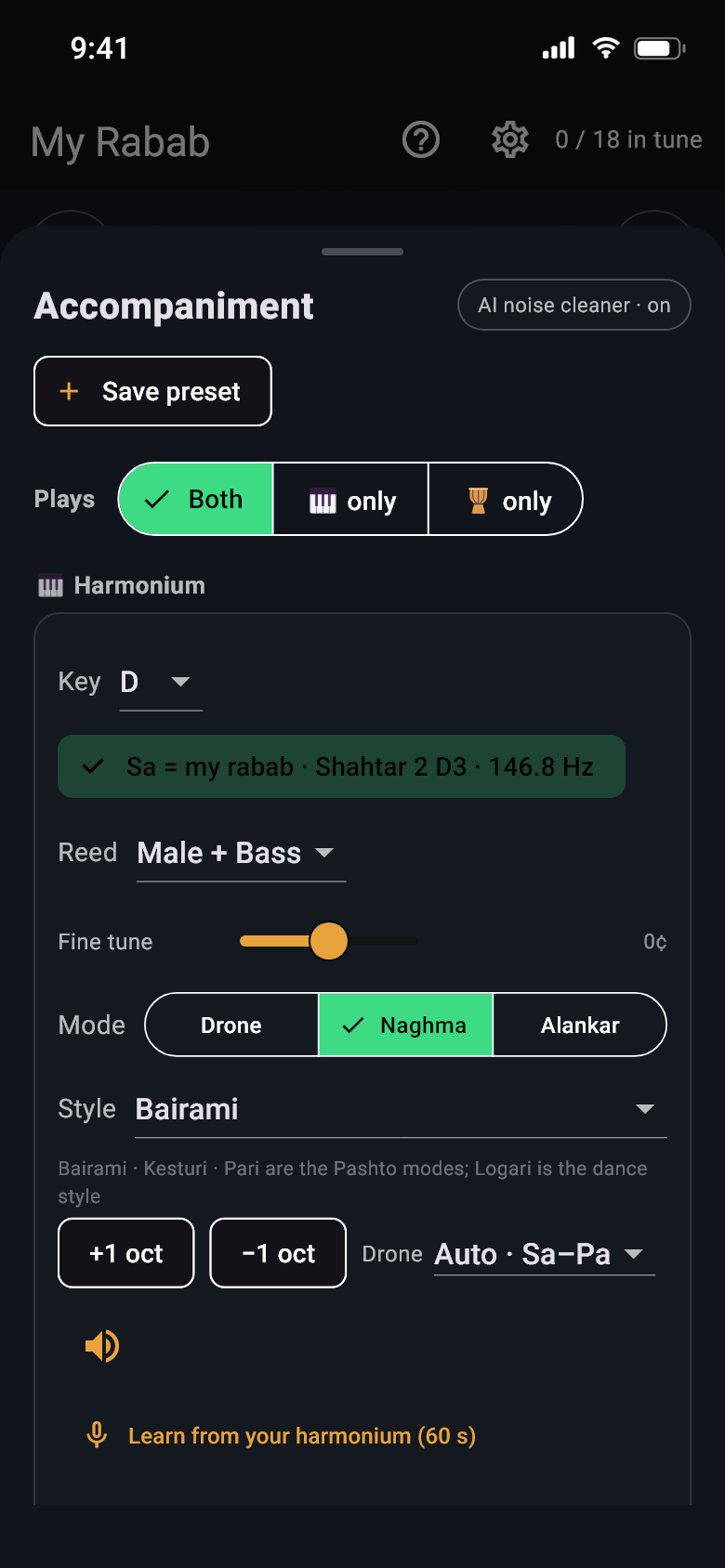
Both are made inside the app and locked to the same cycle, so they never slide apart — play for fifteen minutes or fifteen hours and the Sam still lands where it should. The harmonium has that gentle shimmer real ones have, because it uses two slightly different reeds for every note, just like the instrument on your floor.
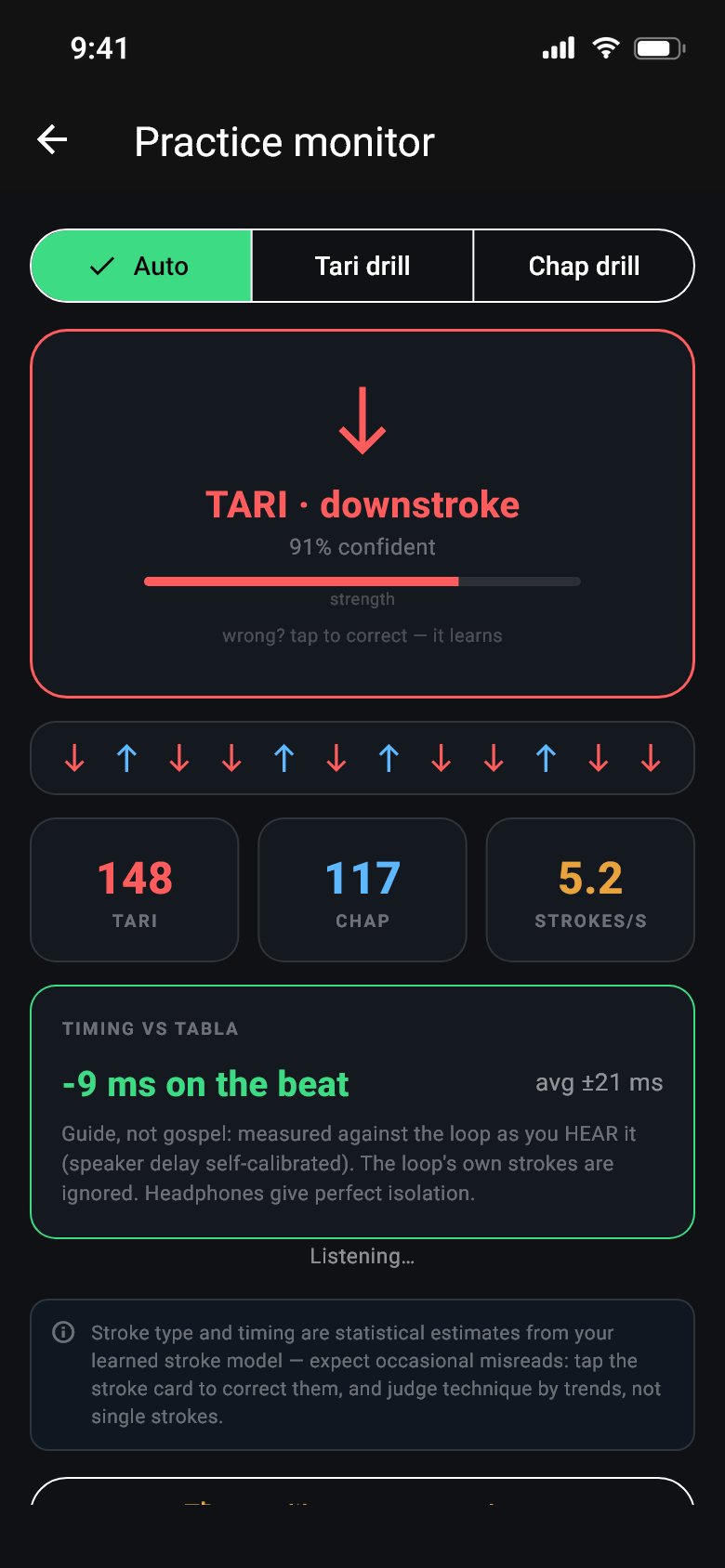
Animated preview of the practice monitor
The app hears each stroke and says whether it was Tari or Chap. It learns the difference from your hand: play a short set of each, or just correct it with a tap when it gets one wrong, and it gets better at reading you.
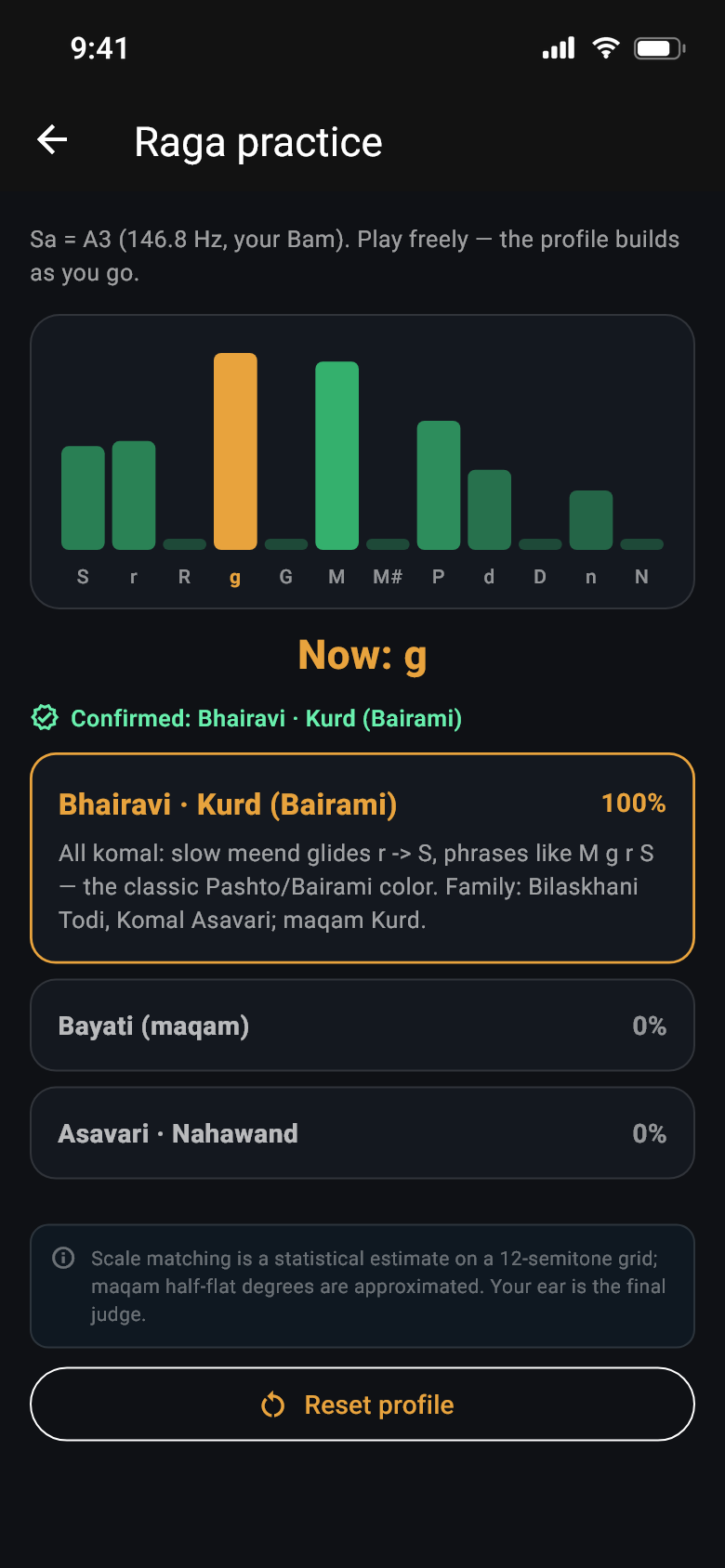
Animated preview of the raga practice screen
Twelve bars fill up as you play — one for each note above your Sa — showing where you have been spending your time. From that the app works out which raga or maqam you are in, and it waits until it is sure rather than guessing after three notes.
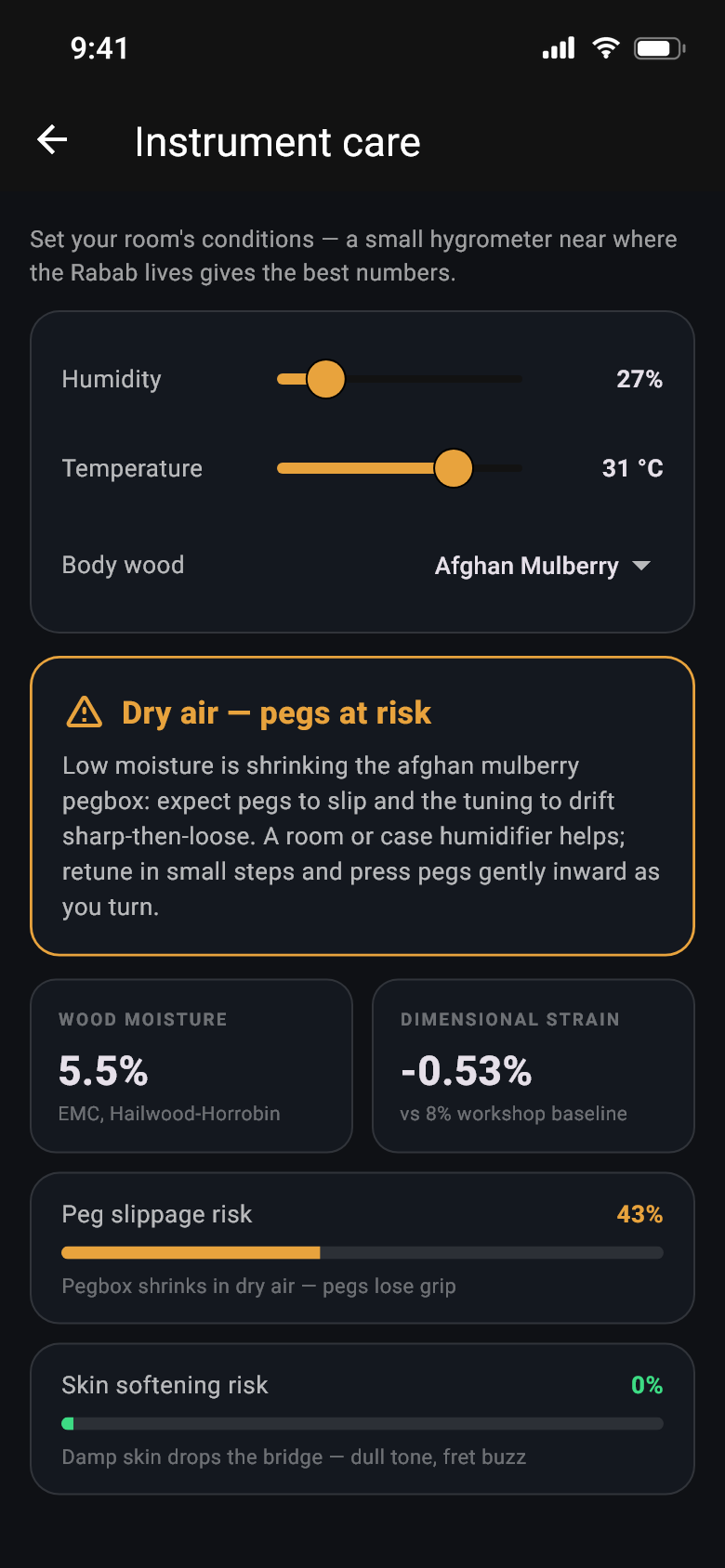
Set the humidity and temperature where the instrument lives and the app works out how much moisture the wood is holding — then warns you about the two things that actually damage a Rabab: a pegbox drying out until the pegs slip, and a skin going soft and dull in damp air.
Dark everywhere, amber when something needs you, green when it's right.
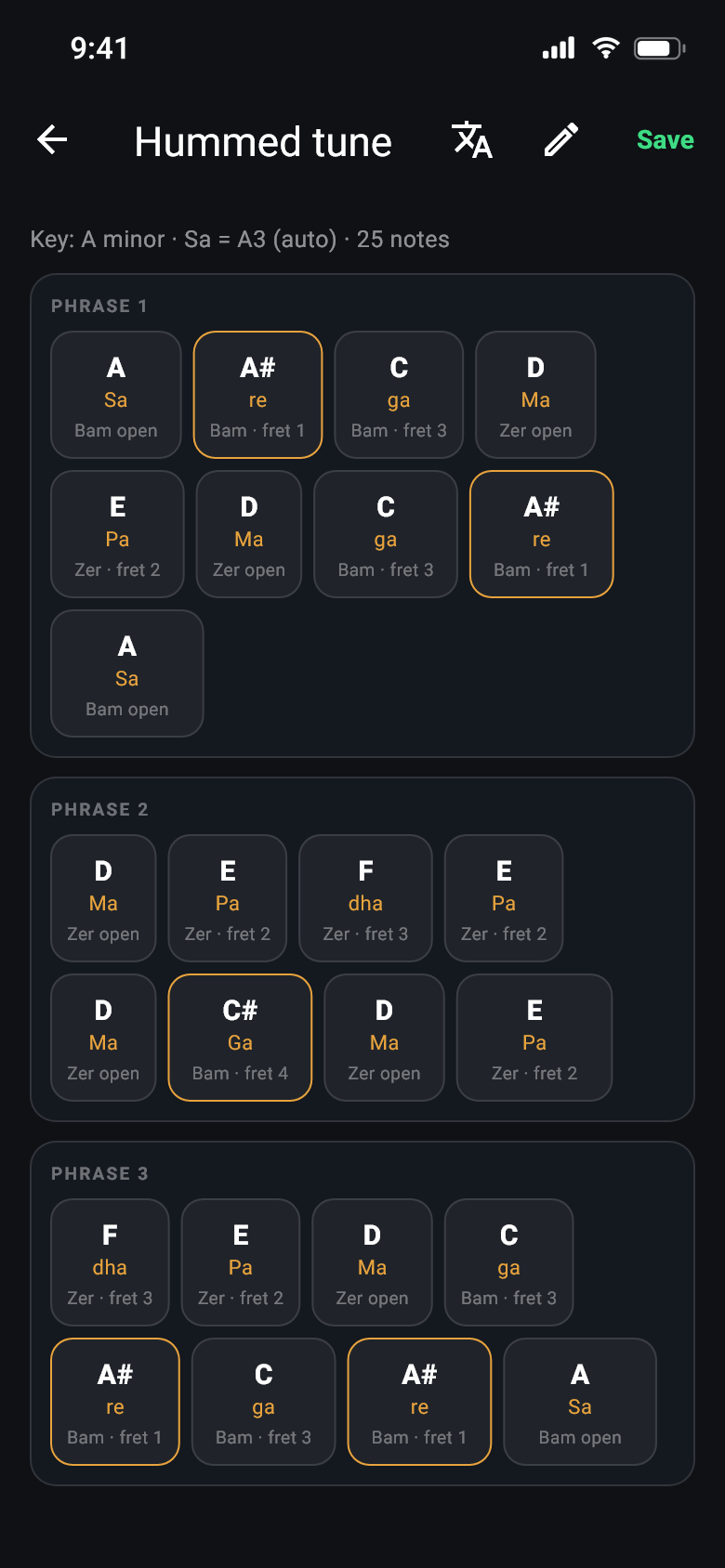
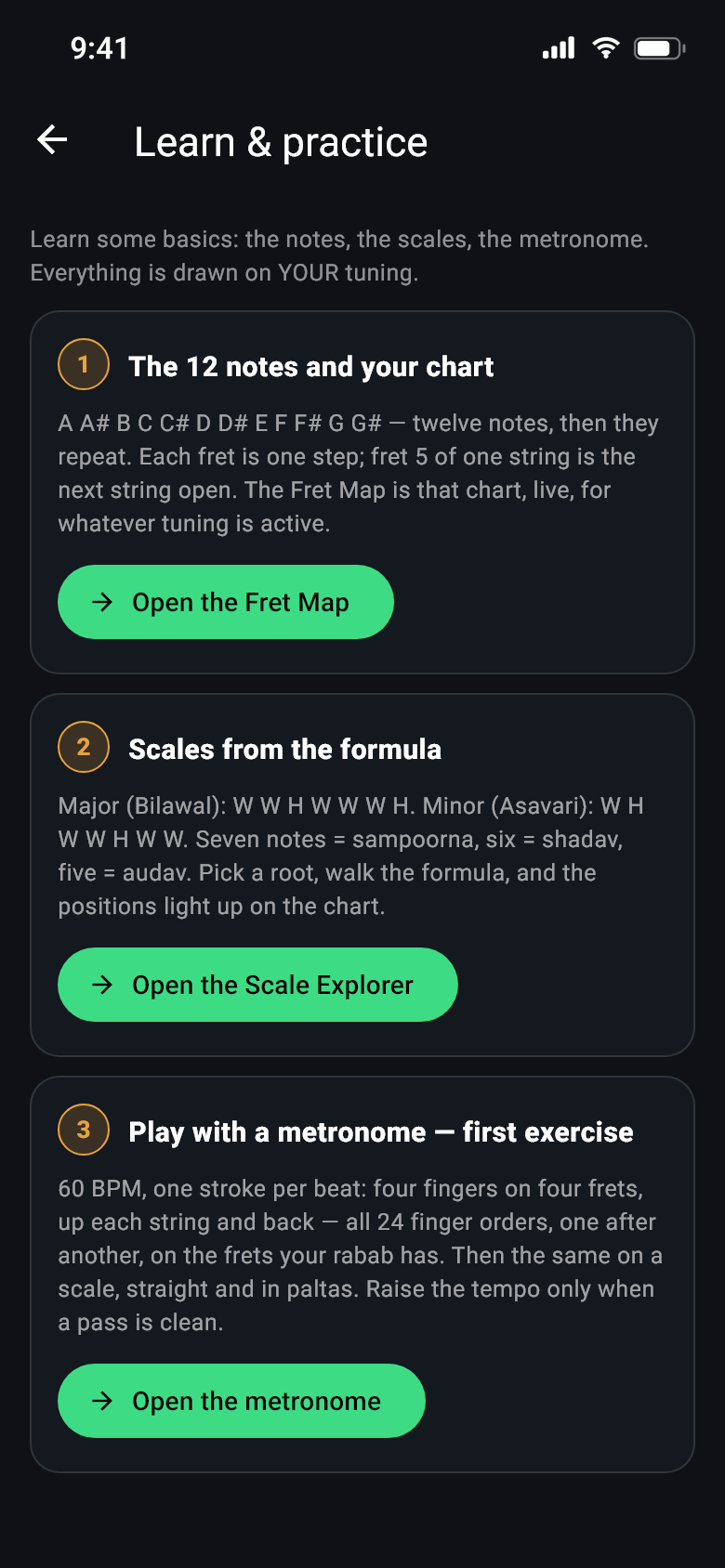
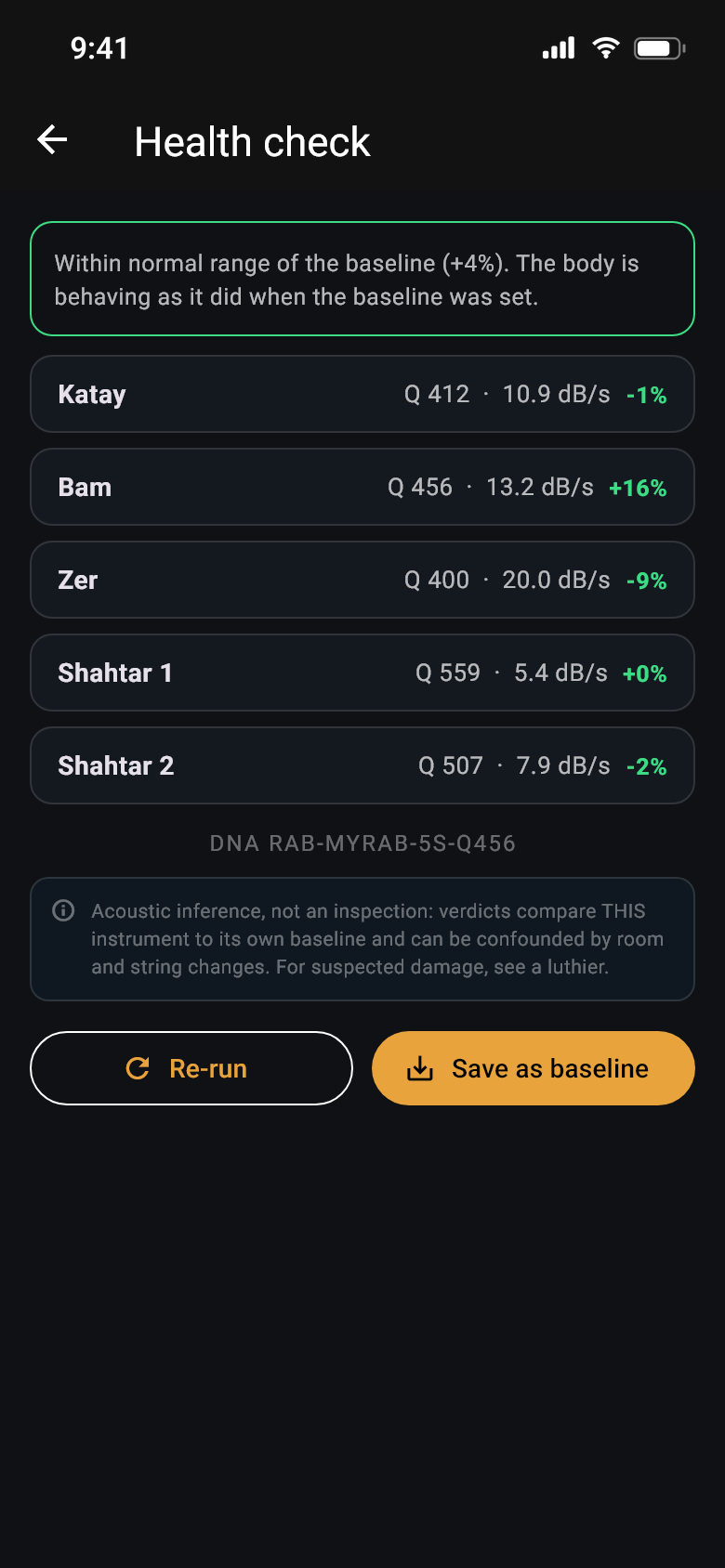
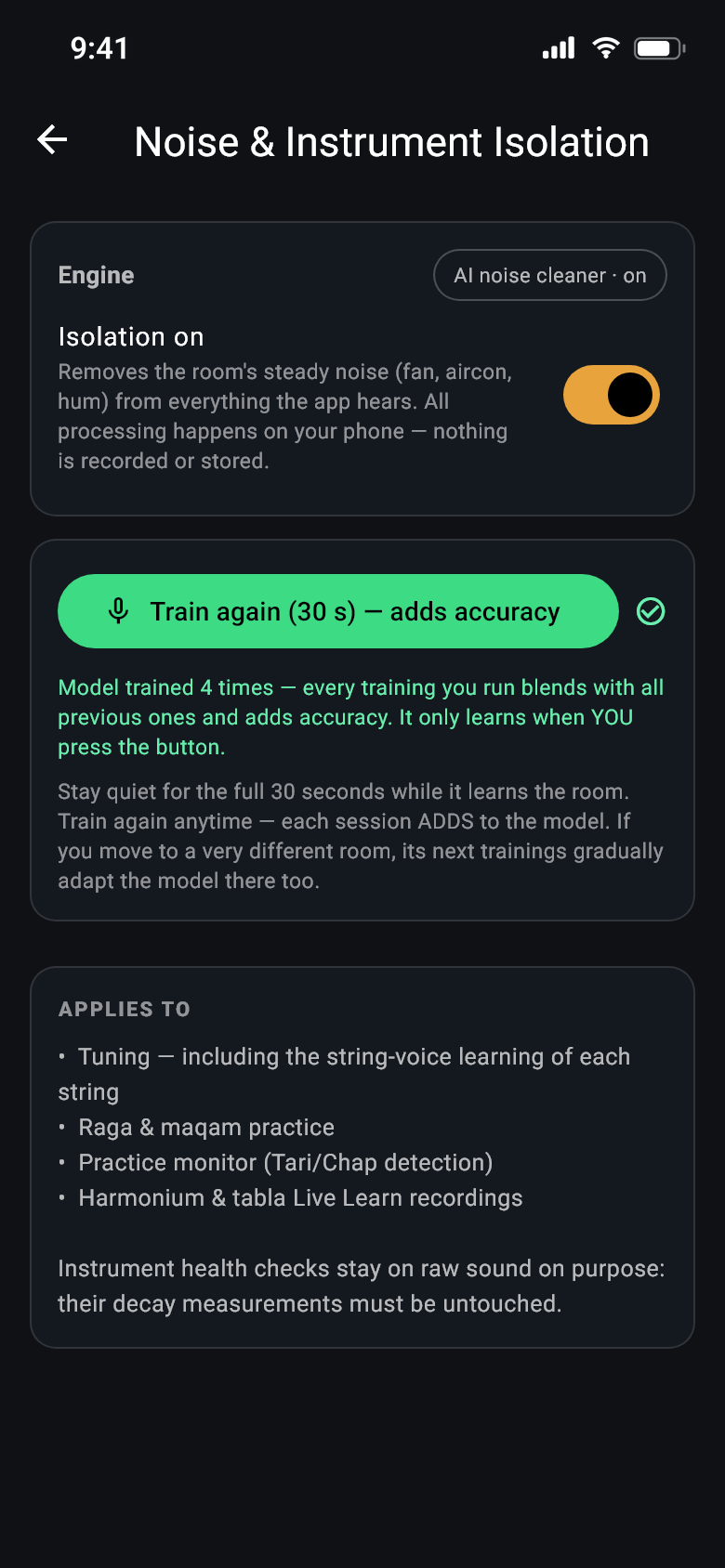
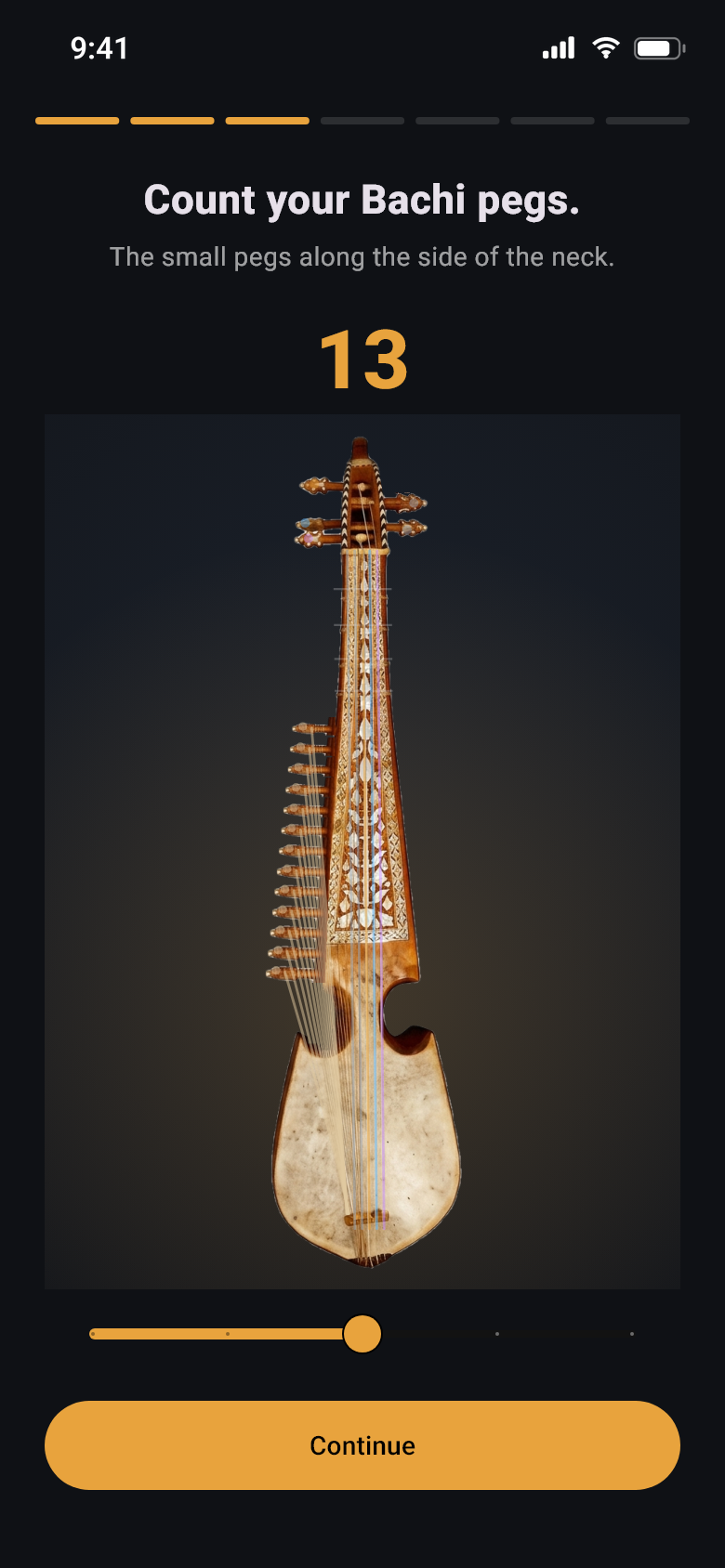
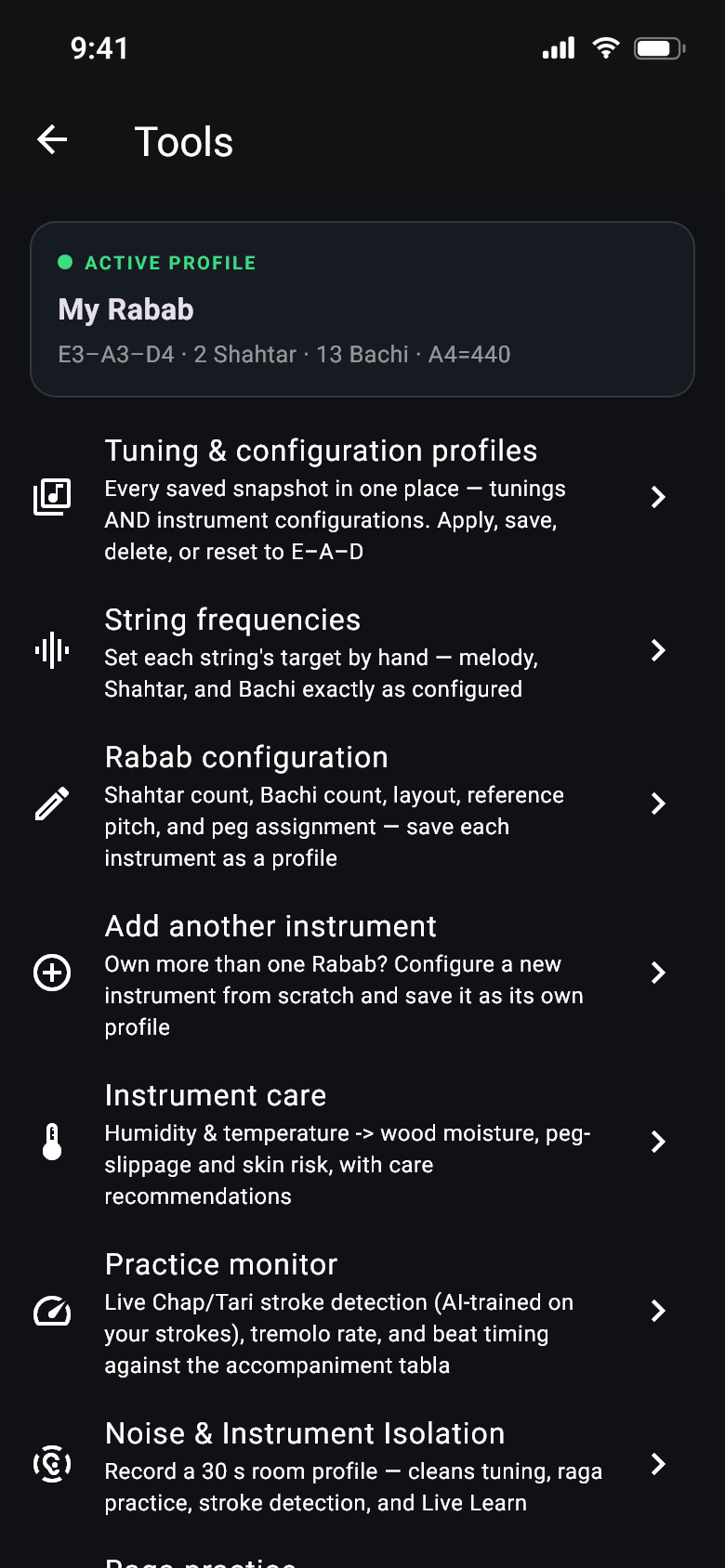
Scroll sideways · eleven of the app's screens
The listening part is written close to the metal, so the screen answers as fast as your ear does. You don't need any of this to use the app.
Nothing here needs a fast phone or a new one — the app quietly uses whatever your handset can give it.
No. Tuning, reference tones, harmonium and tabla, practice, raga help, noise removal and the check-up all work with no connection. The only thing that ever goes online is the optional weather look-up in Instrument care — and it asks you first, and sends nothing but the town name you type.
You start with one month free of the whole app — every feature, nothing held back, no card needed and nothing to cancel. When the month ends the app asks you to subscribe: $8 a year (USD), and the exact price for your country is shown by Google Play or the App Store before you agree to anything. There are no ads, and nothing extra to buy inside the app.
The subscription renews on its own until you cancel it, and you cancel in your own store account — not by asking us. Full details are here.
In your store account, and it takes a few seconds. On Android: Play Store → your profile → Payments & subscriptions → Subscriptions → Rabab Tuner → Cancel. On iPhone: Settings → your name → Subscriptions → Rabab Tuner → Cancel. You keep access until the year you have already paid for ends. The free month needs no cancelling — nothing is charged unless you subscribe.
Yes. Press and hold any string and the app plays exactly what that string should sound like, made from real Rabab recordings, so you can tune by ear. The microphone is only needed for live listening, and nothing is locked behind it.
That is the whole point. Choose two or three Shahtar, eleven to fifteen Bachi, four to eight frets, and which side your pegs are on. The picture redraws with exactly that many pegs and strings, and you can change any target pitch by hand. Own more than one Rabab? Save each as its own setup and switch between them.
Standard E–A–D at 440, a concert setting at 444 for playing with tabla, Pashto folk D–A–D, a lower, easier D–G–C, and Custom. The standard setup has eighteen strings: three melody, two Shahtar and thirteen Bachi.
No. The app listens, works out the pitch, and throws the sound away. The one exception is when you choose to record a minute of your own harmonium or tabla to practise with — that loop is saved on your phone, and deleting it deletes the file.
Honestly: they are good guesses, and the app says so on screen. Telling Tari from Chap by sound alone is hard, because the difference lives in the first split second of the stroke — a short practice drill teaches it your hand and lifts it a long way. For ragas, the app stays quiet until it is fairly sure, instead of guessing early.
Good enough to be useful, not good enough to trust blindly — which is why it is marked preview. Humming a line into a quiet room comes out cleanly; a note sung between two letters is shown with how far off it was and left for you to decide. A song with a full band is harder: the app separates the singer from the instruments first and transcribes the voice, and that part is measured against real songs and improved with every update. Every sheet opens in Review & Edit so you can fix a note in a tap.
Both — they are the same instrument. Rubab, rabab and robab are all ways of writing the same Pashto and Dari word in English letters, and you will see every one of them used by players, teachers and shops. In Kabul it is often called the Kabuli rubab. The app is built for that instrument: the short-necked, plucked, waisted lute with gut frets, three main strings and a rail of sympathetic Bachi.
One thing it is not built for: the rebab of the Arab world and Southeast Asia. Despite the shared root of the name, that is a bowed spike fiddle — a different instrument, differently made and differently played.
There is no single right answer, and any chart that gives you one is overselling it. What is fixed is the shape: the three melody strings sit in perfect fourths. Where that stack sits in absolute pitch is up to you, your teacher, the singer you are accompanying — and your instrument. A larger, longer-scale rubab reaches a comfortable working tension at a lower tonic than a small one, and string gauge and the condition of the skin move it further.
The app ships with E3 · 164.81 Hz, A3 · 220.00 Hz and D4 · 293.66 Hz as a default, along with D–G–C and C#–F#–B, and you can set your own tonic and it will work everything else out from there. We wrote the long version up in the rubab tuning guide.
On Android it is out now — get it on Google Play (Android 7.0 or later). The iPhone version is on its way to the App Store; send a message if you would like to hear the day it lands, or if you play a Rabab the setup doesn't describe yet.
It is coming. Rabab Tuner is a mobile app for both phones: the Android version is on Google Play now, and the iPhone version — the same app, built for iOS 15.1 and later — is on its way to the App Store. Leave a message and you'll hear the day it is out. Everything on the download page is kept up to date.
No ads. No second version with the good bits taken out. No add-ons to buy. One subscription covers the whole app, and you can stop it in seconds.
When you install it you get one month free — the complete app, every feature, nothing held back, no card and nothing to cancel.
When the month ends the app asks you to subscribe. Nothing is ever charged unless you do.
One yearly subscription — $8 a year — billed by Google Play or Apple through the account you already have. It renews on its own until you cancel it.
The price in your own currency is shown by the store before you agree to anything. Prices differ by country and can change, which is why they are quoted there and not here.
In your own store settings, in a few seconds. You never have to email us to stop paying — and we couldn't stop it for you even if you did.
You keep full access until the period you have paid for ends. Nothing you made is deleted: your setups, recordings and history stay on your phone.
Everything: tuning and reference tones, the harmonium and tabla, recording your own instruments, noise removal, the practice monitor, raga practice, instrument care and the check-up. There is no higher tier and no feature sold separately.
The exact trial length, price and billing period are set out by the store at the point of purchase, and in section 6 of the terms.
One month of everything free, then $8 a year — billed by your app store, cancel any time. No ads, no tracking, nothing sold on. Out now on Google Play for Android; the iPhone version is on its way to the App Store — leave a message and you'll hear the day it lands.
Coming soon to theApp Store
Android 7.0 or later · iPhone app coming soon · Download details